
VNC vs. HTML5 Web Clients: Choosing the Right Remote Interface for HMI/SCADA
Remote HMI and SCADA access can help an operator check a process from another building, let a technician watch a pump while standing beside it, or allow an integrator to troubleshoot without an immediate trip to the site. Two common interfaces are VNC and an HTML5 web client. Both can work well, but they are built for different jobs.
The most useful question is not which technology is newer. It is what a particular person needs to see, control, and troubleshoot.
Start with the secure access path
Neither VNC nor an HTML5 HMI/SCADA client should be exposed directly to the public Internet. Remote access should begin with a properly secured and maintained VPN or an equivalent controlled remote-access architecture.
The secure connection answers how the user enters the environment. VNC or HTML5 answers what that user can reach after entry. Reaching the VPN should not automatically provide access to every PLC, HMI, switch, server, and engineering workstation. Network segmentation, firewall policy, named user permissions, logging, and time-limited vendor access should narrow the path to the work being performed.
Two interfaces, two operating models
VNC: share the actual workstation
VNC typically shows and controls the session already running on an HMI computer. The local operator and remote specialist may see the same screen, cursor, values, and screen changes.
This shared view is valuable when a technician or integrator needs to observe a problem, inspect HMI diagnostics, check communications, restart an application, or investigate the workstation itself.
HTML5: use the HMI through a browser
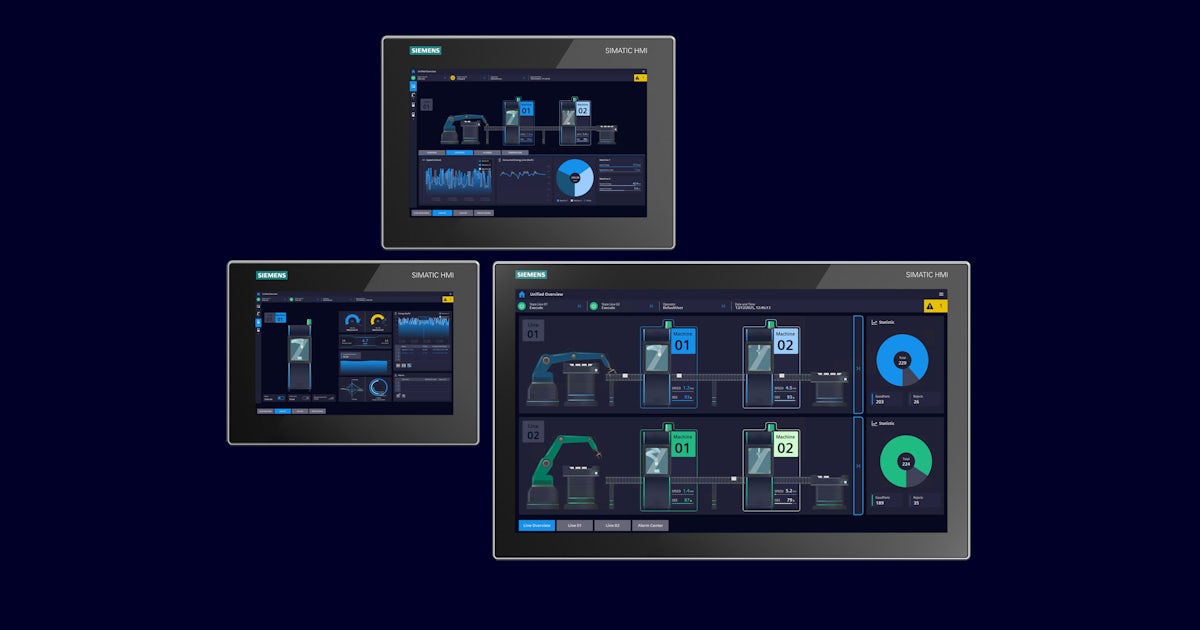
An HTML5 client presents process screens, alarms, trends, setpoints, history, and approved controls in a browser. The user can work with the HMI application without necessarily receiving access to the computer underneath it.
This separation is useful when an operator needs process visibility or approved control from a laptop, tablet, or phone, but does not need the Windows desktop or engineering tools.
Match the interface to the task
A person checking one value beside a machine may benefit from a focused browser session. A controls specialist diagnosing a workstation issue may need the actual machine session. The role and task should drive the interface choice.
Shared context or independent sessions?
A shared VNC session can make troubleshooting easier because everyone sees the same screen and actions. An operator can reproduce a problem while an integrator watches the same values, changes screens, and explains the next check. The shared session reduces confusion about which display is open or what changed.
Independent HTML5 sessions provide flexibility, but they also require a control-authority plan. Two authorized users may look at the same equipment from different locations without seeing each other's actions. If both can change a setpoint or place equipment in manual, independent access can become an operational coordination problem.
Questions for multiple users
- Who has control authority?
- Can two users control the same equipment at once?
- Which roles should be view-only?
- Can authority be transferred clearly?
- Can users see when remote operation is active?
- Are commands and changes logged by user?
When shared viewing helps
- Reproducing an intermittent operating issue
- Coordinating an operator and integrator
- Reviewing HMI diagnostics
- Confirming the same alarm or process value
- Guiding a local technician through checks
Walk-around access and screen design

Browser access can be convenient when a technician is priming a pump and needs to watch discharge pressure, or when an operator wants to verify a signal while working away from the control room.
However, opening a control-room display on a phone does not make it suitable for phone operation. Tiny buttons, dense graphics, alarm windows, and small entry fields can create usability and safety concerns. If mobile operation is expected, design and test the HMI screens for the intended device and operating conditions.
Practical comparison
| Decision area | VNC | HTML5 web client |
|---|---|---|
| What the user reaches | The actual HMI workstation session | The HMI/SCADA application through a browser |
| Strong fit | Troubleshooting, collaboration, legacy access, workstation-level tasks | Routine process viewing, approved operation, walk-around access, role-focused screens |
| Session behavior | Often shared, so participants see the same actions | Often independent, which supports concurrency but needs authority rules |
| Device experience | Mirrors the workstation display and may be awkward on small screens | Can support multiple device types when screens are designed responsively |
| Access scope | May expose the desktop and more workstation capability than an operator needs | Can keep the user inside the application and approved functions |
| Licensing | May reuse an existing runtime session, depending on product terms | May require web, named-user, concurrent-user, runtime, server, or mobile licenses |
Licensing and growth can change the answer
Check the exact platform license before selecting an architecture. Browser access may be included, or it may require licenses for web clients, named or concurrent users, remote sessions, server features, additional runtimes, or mobile access. VNC may view an already licensed runtime, but that does not make it universally less expensive or permitted in every configuration.
Price the expected future state as well as the first connection. One browser session today can become operators, supervisors, maintenance technicians, engineers, and vendors tomorrow. Ask what the tenth connection requires, not only what the first costs.
Legacy systems still have a place
Some older HMI panels and workstations have no practical HTML5 option. Replacing a reliable system only to add browser access may not be justified. Controlled VNC access can extend supportability when the risk is assessed, the path is secured, and the workstation remains appropriately maintained and isolated.
This is not simply old technology versus new technology. It is a lifecycle and application decision.
Vendor access needs a beginning and an end
Third-party access should be enabled for a defined support task, visible to the responsible facility personnel, limited to the relevant system, and disabled when the work is complete. Permanent unrestricted accounts create avoidable exposure and make it harder to know who can still enter the environment.
Security also has to be workable. Strong authentication and access controls belong at the remote boundary, but the approved workflow should remain usable enough that operators and technicians do not feel pushed toward unsafe workarounds.
Remote access must not become required for local control
Every remote communication path will eventually be unavailable. A VPN, Internet circuit, radio, cellular link, or server may fail or require maintenance. The PLC should continue its local control strategy, and the local HMI should remain available where one is installed. Losing remote visibility should not automatically stop the process.
Sometimes the right answer is both
Operators and supervisors
VPN or controlled gateway to an HTML5 client designed for process viewing and approved operation. Use role-based permissions, view-only access where appropriate, and clear control authority.
Maintenance and engineering
VPN or controlled gateway to time-limited VNC access when technical personnel need the actual workstation for diagnosis or collaboration.
RDP may also be useful in centralized SCADA and engineering environments where users need separate Windows sessions. It solves a somewhat different problem from sharing an existing HMI session or opening a browser client, so evaluate it as a separate architecture choice.
A simple field checklist
- Who is connecting? Operator, supervisor, maintenance technician, engineer, integrator, or vendor.
- What must that person do? View the process, operate equipment, troubleshoot an application, or work on the HMI computer.
- Do they need the application or the workstation? This often separates HTML5 from VNC quickly.
- Should the session be shared or independent? Consider collaboration and concurrent control.
- How is control authority assigned and shown? Define view-only roles, command logging, and transfer rules.
- How many users are expected? Verify current and future licensing.
- What is the smallest safe network scope? Limit routes, protocols, systems, and time windows.
- What happens when communications fail? Preserve local control and a clear operating response.
How can BEA help?
BEA can help assess the operating roles, HMI/SCADA platform, network boundaries, licensing, screen design, support workflow, and local fallback requirements before remote access is implemented or expanded. The goal is not the greatest possible reach. It is controlled, practical access that supports the person and task without weakening plant operation.
For independent remote-access security guidance, review CISA's Industrial Control Systems recommended practices. Product-specific capabilities, license terms, and security requirements should also be confirmed with the applicable HMI/SCADA manufacturer.
BEA Industrial Networking Blog
KISS in SCADA: Why Over-Engineered Networks Create Operational Nightmares
Most industrial network designs look convincing in a presentation. At 2:00 a.m., the measure that matters is whether an on-call technician can identify a failed path, preserve safe local control, and restore telemetry quickly.
Complexity multiplies the fault domain
Layered topologies, nested VLANs, enterprise authentication, redundant rings, SD-WAN overlays, and multi-hop VPNs can each solve a legitimate problem. When stacked without a clear operational need, they create a chain in which one unavailable service or one incorrect rule can interrupt critical communications.
Practical rule: Critical OT communications should remain predictable and operational when enterprise services or wide-area links are unavailable.
Four common ways complexity becomes an outage
1. Enterprise dependency creep
A field switch or controller depends on remote authentication, DNS, certificate, or cloud services. A WAN failure then becomes a local operations problem.
Design response: Keep essential local control independent, and document which external services affect recovery.
2. Segmentation without visibility
Too many zones and rule sets hide the traffic technicians need to diagnose intermittent EtherNet/IP, PROFINET, or Modbus TCP issues.
Design response: Group devices by process function, allow only required flows, and preserve approved diagnostic access.
3. Fragile remote connectivity
Nested tunnels, carrier addressing changes, continuous polling, and manual reconnect procedures make small communications events expensive.
Design response: Support safe local operation, data buffering, automatic reconnection, and efficient reporting.
4. Redundancy that obscures failure
Poorly controlled rings, gateways, and high-availability pairs can introduce loops, duplicate addresses, slow convergence, or split-brain behavior.
Design response: Test failover, define expected recovery time, and keep replacement procedures usable by on-call staff.
Visual contrast: complicated recovery versus supportable recovery
Operational nightmare
- Ownership changes at every layer
- Unknown dependencies on WAN services
- Firewall policy is the only traffic map
- Failover behavior is assumed, not tested
- Replacement requires proprietary expertise
Supportable SCADA network
- Process zones have clear purposes
- Controllers fail safely and operate locally
- Data flows and dependencies are documented
- Recovery is tested under realistic outages
- Backups and preconfigured spares are ready
Segmentation still matters, but it needs an operational purpose
Simple does not mean flat or unprotected. Segmentation remains an important control for limiting access and containing threats. The goal is deliberate zoning with understandable boundaries, not a separate island for every device. Network diagrams should show major connections, allowed data flows, remote access paths, and external dependencies so both operations and incident response teams can work from the same picture.

Remote sites should remain useful when the link is down
Lift stations, well sites, valve vaults, and pumping stations often rely on cellular service. A sound design assumes interruptions will occur. The PLC, RTU, or controller should continue its approved local strategy, buffer important records where appropriate, and reconnect without a truck roll. Protocol choices such as MQTT Sparkplug B, DNP3 exception reporting, or store-and-forward features may reduce traffic and improve recovery, but suitability depends on the application, threat model, and validated system design.
Four KISS rules for reliable SCADA networks
Favor predictability
Use controlled addressing and minimize dynamic service dependencies for critical OT assets.
Prioritize local autonomy
Design PLCs, RTUs, and controllers to maintain approved safe operation during communication loss.
Keep infrastructure supportable
Document and back up configurations. Prepare tested spares and clear replacement steps.
Monitor the boundaries
Build visibility at firewalls, gateways, and remote links before adding custom workarounds.
Questions to ask before adding another layer
- Which specific operational or security risk does this component reduce?
- What happens locally if it or its upstream service is unavailable?
- Can the on-call team see and diagnose the resulting traffic path?
- Has failover been tested with realistic power, carrier, and configuration failures?
- Can a documented spare restore service without specialist escalation?
How can BEA help?
BEA can help review industrial network architecture, map dependencies, assess remote communications, simplify support procedures, and plan tested migration or recovery steps. The target is not the fewest possible components. It is the simplest design that meets the application, cybersecurity, availability, and lifecycle requirements.
Troubleshooting beyond the alarm
A PLC Fault Is Usually the Symptom, Not the Diagnosis
A fever tells you something is wrong. It does not tell you what caused it. A PLC fault works the same way. It is a signal, not an answer. Clear it without understanding it, and the underlying problem may still be there.
The fault is telling the truth
Clearing a fault can restore operation, but it does not prove the underlying condition is gone. The device reporting the problem is not necessarily the device causing it. Good troubleshooting separates where the symptom appeared from where the failure began.
The fault told the truth. It just did not tell the whole truth.
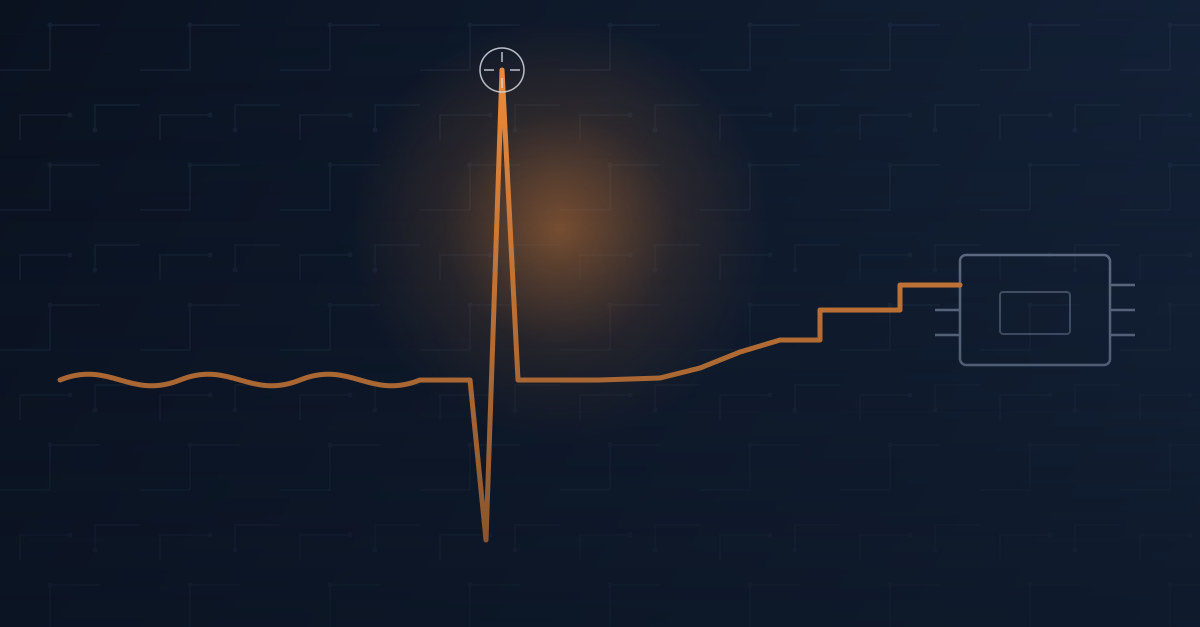
A brief signal transient can reveal itself at the PLC even when the initiating condition began elsewhere in the control system.
Follow the failure backward
Start with the alarm, then trace the conditions that could have produced it. Check the power feeding the circuit, signal behavior, field wiring, communications path, and the process condition the controller expected to see.
The objective is to identify the first abnormal condition, not simply the last device that complained.
A card replacement that did not hold
At one facility, several analog readings began dropping out for an instant, jumping to full scale within milliseconds, then settling back down. The analog input card was the obvious suspect. It was replaced, the fault cleared, and the system returned to service.
A few days later, the same symptom returned on a different card. That recurrence changed the question from "Which card failed?" to "What are these cards seeing that they should never see?"
The actual cause
The 24 VDC field power supply feeding the I/O circuits had begun to degrade. Its output became unstable under load. Those disturbances reached the analog circuitry and produced momentary dropouts followed by full-scale readings.
The event was fast enough to resemble noise on a trend and fast enough that a technician standing at the panel with a meter could easily miss it. Replacing the power supply stopped the problem because the failed component was finally identified.
The same pattern appears across a control system
Drive fault
The drive reports the condition, while the cause may be a mechanical load, unstable input power, wiring issue, or process demand.
Unreliable sensor
The sensor gets blamed, while damaged wiring, poor shielding, electrical noise, or unstable field power may be changing the signal.
Remote I/O dropout
The rack goes offline, while the initiating problem may be a switch, cable, connector, radio path, or upstream power supply.
Controller communications fault
The PLC becomes unresponsive, while malformed, incomplete, or excessive traffic elsewhere on the network may be consuming limited communications resources.
Questions that move the diagnosis forward
- What changed immediately before the event?
- Is control and field power stable under the actual load?
- Are the I/O signals behaving normally at the source and at the module?
- Are field devices communicating correctly?
- Is the network healthy, or merely connected?
- Is the process reaching the position, pressure, level, speed, or state the PLC expects?
- What evidence remains after the fault is reset?
A reset is a recovery step, not a root cause
Replacing the component named in an alarm is not always troubleshooting. A system returning to normal after a reset does not mean the cause disappeared. Preserve event history, capture trends at useful time resolution, and test the full signal and power path before declaring the issue resolved.
How can BEA help?
BEA can help trace intermittent PLC, I/O, power, drive, and industrial network problems across the system instead of stopping at the first alarm. We support evidence-based troubleshooting, application review, component selection, and corrective planning so the same symptom does not keep returning.
Bring us the fault history, trend data, recent changes, and what has already been tested. We will help turn the alarm into a practical diagnostic path.
Industrial Cybersecurity
Industrial Cybersecurity Myths We Still Encounter in the Field
The most important improvements often begin with correct network design, clear access paths, and layered protection.
The problem often starts before a security appliance is installed
After a major cyberattack, the first questions often focus on firewalls, software, or the newest security product. Those tools have a place, but many significant improvements cost little. They begin with designing industrial networks correctly and challenging assumptions about how systems are connected.
Manufacturers, municipalities, water systems, and other industrial facilities can take security seriously and still carry hidden risk when trusted devices or support processes create overlooked pathways.
Five myths worth challenging
Myth 1: Our PLC is not connected to the Internet
The PLC may have no direct Internet connection, while an engineering workstation, HMI, remote support computer, historian, reporting server, cloud dashboard, or vendor remote-access package does.
An attacker may only need access to a trusted device that already communicates with the PLC. Map every pathway into the control network, not only the PLC's public exposure.
Myth 2: We have a firewall, so we are secure
A firewall is an important layer, but it is not the complete architecture. Effective protection can include VPN-only remote access, strong authentication, segmentation, least privilege, secure support procedures, logging, monitoring, and routine maintenance.
Design the system so other protections continue to reduce risk if one layer fails.
Myth 3: We are too small to be a target
Small manufacturers, municipal water and wastewater systems, grain facilities, and local industries can all experience cyber incidents. Many attacks are automated and search broadly for vulnerable systems.
Organization size does not remove exposure. Security posture and reachable pathways matter.
Myth 4: Our vendor handles cybersecurity
Equipment, network, and firewall manufacturers can provide capable components, but no single vendor automatically knows how the entire facility is connected.
Security comes from integrating devices, networks, remote connections, engineering workstations, and support processes correctly. That is an engineering responsibility.
Myth 5: Nothing has happened, so we must be secure
Years without a known incident do not prove that the architecture is secure. An exposed path may simply remain undiscovered.
Preventive cybersecurity works like preventive maintenance: remove unnecessary risk before it affects operations.
Good security should support daily work
Operators still need to operate. Maintenance personnel still need to troubleshoot. Authorized engineers still need to provide support. A properly designed system preserves those workflows while preventing unauthorized access.
The objective is not complexity or fear. It is thoughtful engineering: understand communications, limit unnecessary exposure, plan remote access, and build multiple layers of protection around the people and infrastructure that depend on the system.
How can BEA help?
BEA can help industrial teams review network pathways, remote-access practices, segmentation needs, engineering workstations, and support workflows. The goal is a practical security approach that protects operations without obstructing authorized users.
Read the original source article for the full field perspective.
Municipal OT security guidance
Minnesota water-system cyberattacks reinforce the need for VPN-only remote access
Remote communications are essential to modern water and wastewater operations. When traffic crosses infrastructure the municipality does not control, the connection must protect itself.
A warning for every municipal utility
A coordinated cyberattack targeted operational technology at more than 30 Minnesota community water systems on July 26 and 27, 2026. State incident-response teams worked with federal, state, local, Tribal, and private-sector partners. Officials reported limited or mitigated effects in communities that disclosed incidents, with no active request for residents to change normal drinking-water use.
Plymouth reported communication outages affecting two water towers and multiple wastewater lift stations while crews continued through manual procedures. The city also said the issue was limited to equipment connected through cellular communications.
That detail does not establish that a cellular carrier was compromised or that cellular technology caused the attack. The initial access method, affected equipment, account, vulnerability, and responsible organization had not been publicly identified.
The BEA standard
Cellular service is transport, not a security boundary
Cellular communications can be reliable and secure for towers, wells, lift stations, pump stations, and other remote facilities. But a modem does not automatically protect the PLC behind it. A private IP address is not encryption, a private carrier network is not a firewall, and a private access-point name does not eliminate the need for authentication and access restrictions.
Protect the path
Use a maintained VPN with strong encryption and authenticated endpoints whenever OT traffic crosses a cellular carrier, internet provider, leased circuit, cloud service, or other external network.
Protect the destination
Terminate the connection at a firewall or secure gateway and permit only the required source, destination, protocol, port, user, device, site, purpose, and access period.
Protect the account
Use individual accounts, strong authentication, multifactor authentication where practical, connection logging, controlled account lifecycle management, and prompt removal of obsolete access.
Protect operations
Segment control and business networks, maintain current firmware and security updates, document the architecture, and preserve tested manual operating procedures.
Treat third-party networks as untrusted
“Untrusted” does not mean the service provider is acting improperly. It means the utility does not control every router, support account, platform, configuration, subcontractor, maintenance process, or security decision along the route. Design as though the path between trusted endpoints could be observed, scanned, interrupted, or misconfigured.
Examples
- Cellular and public internet connections
- Cable, fiber, or DSL internet services
- Third-party leased circuits
- Shared municipal or county networks
- Cloud-managed or vendor remote-access platforms
- Third-party-owned or unmanaged radio networks
Utility-owned radio is different
A properly designed municipal radio network may remain a trusted internal system when the utility owns, programs, maintains, and controls its radios, frequencies, addressing, sites, and permitted participants. It still requires review, segmentation, documentation, and least-privilege access.
Remote viewing is remote access
An operator checking SCADA from home, an engineer troubleshooting a pump, an integrator reviewing PLC logic, and a technician examining an HMI or VFD all represent remote access to critical infrastructure.
Authorized computer → encrypted VPN → municipal firewall → specifically approved internal system
Do not directly expose PLC programming interfaces, HMI web servers, SCADA servers, Remote Desktop, VNC, industrial-router administration, engineering software services, camera interfaces, building controls, or unprotected equipment web interfaces to the public internet.
Site-to-site traffic needs the same protection
A tower reporting to a plant, a lift station sending alarms to SCADA, or a well station exchanging pressure and pump data is also remote access when the path crosses an external network.
Remote PLC network → remote-site firewall → encrypted VPN → central-site firewall → SCADA network
The PLC and HMI remain on a private local network. Authenticated firewalls establish the encrypted tunnel and permit only the specific process traffic required. The provider transports the tunnel; it does not become part of the trusted control system.
Encryption and firewalling perform different jobs
Encryption protects the path
It helps prevent operational data and credentials from being observed or altered while traffic crosses infrastructure outside the utility's control.
The firewall protects the destination
It prevents an encrypted tunnel from becoming a broad bridge into the control network by limiting exactly what the connection may reach.
Federal standards follow the same security principle
Federal agencies routinely send information across commercial internet providers, telecommunications carriers, cloud platforms, and other infrastructure they do not fully own or control. Federal security policy does not treat those third-party networks as the protection boundary. Sensitive traffic must instead be protected using approved cryptography and secure communications methods.
Validated cryptography
FIPS 140-3 establishes security requirements for cryptographic modules operated by federal agencies or on their behalf. The NIST validation program verifies that modules meet the standard.
Protected communications
NIST guidance identifies TLS for protecting approved application and web traffic across the internet. NIST also describes IPsec VPNs as a means to provide confidentiality, integrity, authentication, replay protection, and access control for network-to-network traffic.
Trust-boundary controls
CISA's Trusted Internet Connections guidance reinforces that protections must remain in place when federal systems connect with remote users, cloud services, and external networks. It does not require one technology for every connection, but an outside carrier or cloud provider should not automatically become part of the trusted network.
Field checks for municipal teams
Inventory access
- Who can connect remotely today?
- Which systems can each person reach?
- Are accounts individual and current?
- Can access be disabled immediately?
Review boundaries
- Does every external path terminate at a firewall?
- Are site-to-site links encrypted?
- Are rules limited to required traffic?
- Are OT and business networks segmented?
Verify resilience
- Are connections logged and reviewed?
- Are firmware and VPN software maintained?
- Are configurations and backups documented?
- Can crews operate locally when communications fail?
Manual operation remains essential
Utilities should be prepared to operate when SCADA communications, cellular service, telemetry, or internet access is unavailable. Practice local starting and stopping, independent level and alarm checks, chemical-feed control, manual process recording, cross-site communications, and controlled restoration before an emergency occurs.
How Britton Electronics & Automation can help
BEA designs, supports, and services automation systems for municipal water and wastewater facilities. We can help review remote-access paths, identify internet-exposed equipment, secure cellular-connected sites, configure site-to-site VPNs, review firewall rules, segment networks, restrict vendor access, remove obsolete accounts, assess utility-owned radio networks, document PLC/HMI/SCADA configurations, and develop practical backup, recovery, and manual-operation plans.
The goal is not to eliminate useful connectivity. It is to make every remote connection deliberate, authenticated, encrypted, restricted, logged, maintained, and capable of being disabled without preventing safe operation.
Further guidance: Minnesota Department of Health: Assessing Security of Public Water Systems · CISA: Protecting remotely accessible industrial controllers
BEA motor-connection practice
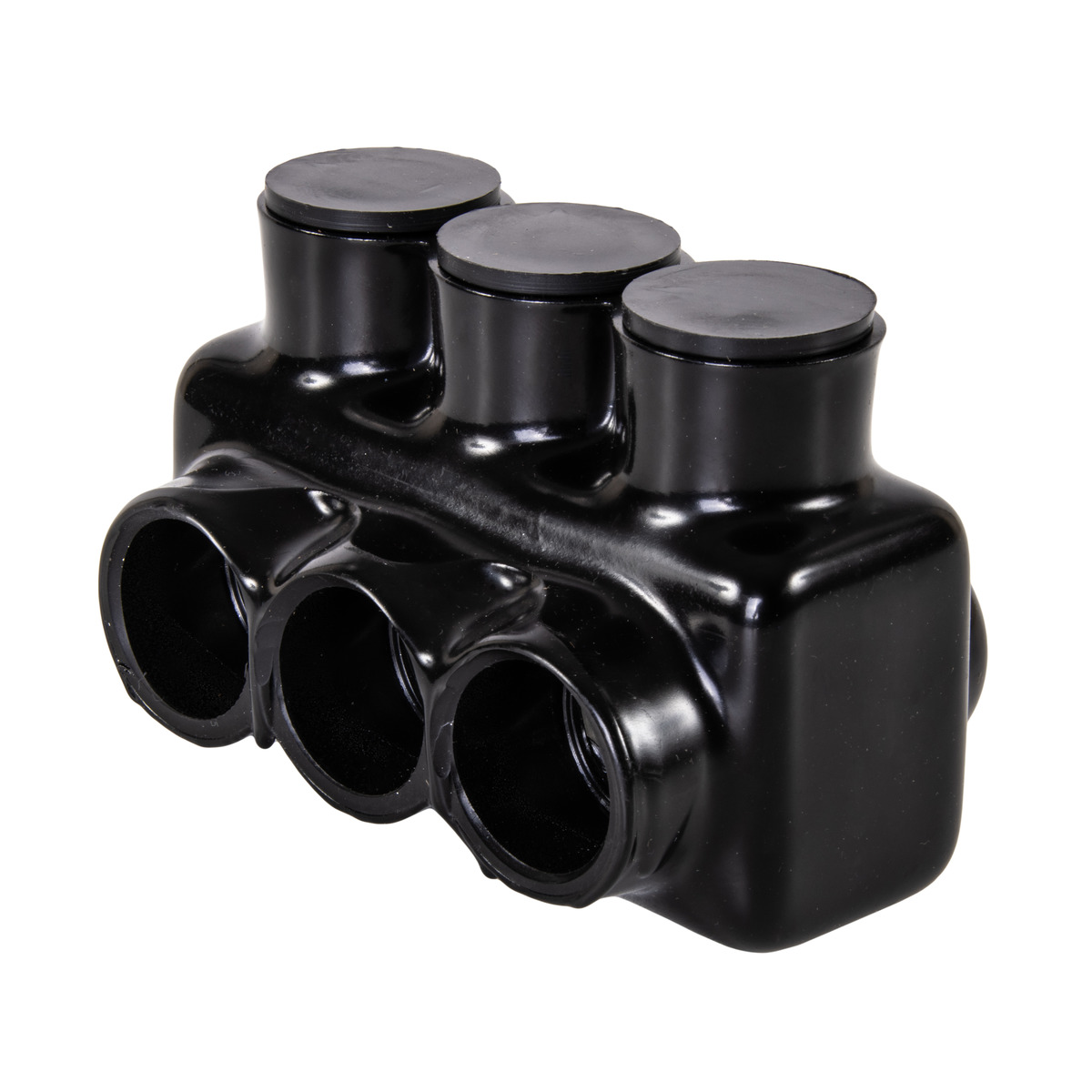
Why BEA standardizes on Polaris connectors for motor leads over 2 hp
A pre-insulated, torque-applied connector gives our field teams a cleaner and more repeatable alternative to wire nuts and field-taped split bolts on larger motor connections.
The field problem
Larger motor-lead junctions need a connection method that fits the actual conductor count, conductor size, enclosure, and service environment. Wire nuts are not BEA's preferred standard for these larger connections, while split bolts add a separate field-insulation process.
A Polaris connector combines the mechanical termination and insulated body in one selected assembly. Prepared conductors are inserted and the covered pressure screws are tightened to the manufacturer's specified torque.
Why the standard matters
Less field insulation work
Pre-insulated connectors avoid the multi-layer tape build-up normally required to insulate an exposed split-bolt connection after termination.
Repeatable torque process
Technicians can follow the installation instructions and apply the specified torque, making the termination process easier to standardize and inspect.
Better fit for multiple leads
Polaris models are available with multiple ports. The selected model must be verified for the required conductor count and sizes rather than assuming a split bolt is listed for a multi-conductor junction.
Cleaner service access
A contained connector body keeps the junction organized for inspection, troubleshooting, motor replacement, and future maintenance.
Why split bolts are a poor fit for this motor practice
Listing and conductor count
BEA does not assume a split bolt can accept more conductors than its listing permits. Many motor-lead junctions require a configuration beyond a simple two-conductor splice, so the exact listed use has to be checked.
Taping labor
The completed connection needs careful insulation build-up, finish wrapping, and inspection. That adds time and depends heavily on field workmanship.
Vibration exposure
Motors and nearby industrial equipment can transmit vibration. If tape is not built up and protected adequately, movement can abrade the insulation over time.
Designer and installer checks
- Choose the connector from actual conductor size, type, class, and count—not motor horsepower alone.
- Confirm the selected model's listing and suitability for the enclosure and dry, wet, or exposed environment.
- Check available junction-box space, bend radius, and future maintenance access.
- Use the manufacturer's strip length, port-plug, and torque instructions.
- Account for vibration and inspect the completed connection before energizing equipment.
How can BEA help?
BEA can help review motor connection standards, identify the appropriate Polaris connector configuration, and coordinate conductor, enclosure, environmental, vibration, and maintenance requirements for the application.
Manufacturer source: NSI Polaris connector solutions and NSI guidance on pre-insulated connectors.
Blue Ribbon wastewater instrumentation from BEA
Durable level measurement for demanding wastewater service
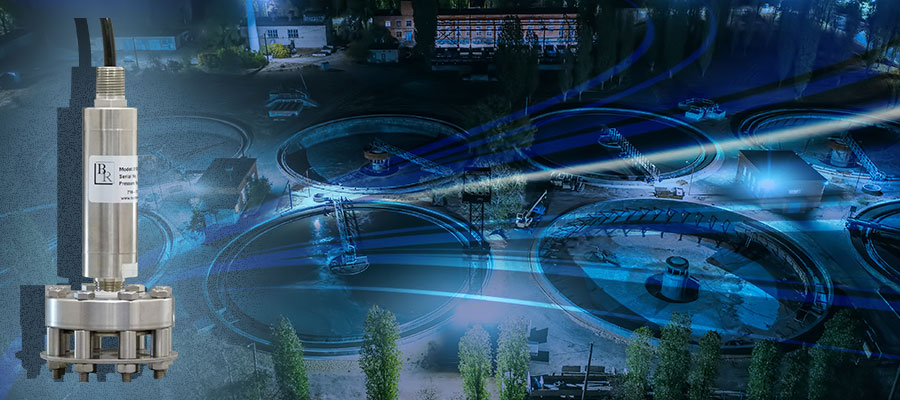
Blue Ribbon Corp points to more than four decades in wastewater management and positions its BC001 Birdcage as a long-service instrument for challenging environments. BEA is a Blue Ribbon distributor and can support product selection and application planning.
What stands out
Wastewater focus
Blue Ribbon presents the BC001 Birdcage as its flagship solution for wastewater management and cites long experience serving these applications.
Lifecycle perspective
The manufacturer frames product value around longevity, reduced replacement frequency, and less downtime rather than initial purchase price alone.
Surge-protection option
Blue Ribbon identifies the BCP3000 Birdcage Series surge protector as the companion option for addressing lightning-related damage and ties it to enhanced warranty coverage.
What this means for plant teams
Plan for the full measurement point
Instrument choice, mounting, wiring, control integration, environmental exposure, and surge protection should be considered together.
Compare lifecycle cost
Review expected service demands, access costs, downtime exposure, spares, and replacement labor alongside acquisition cost.
Validate the application
Confirm process conditions and required performance with current manufacturer documentation before final selection.
Selection and implementation checks
Define the duty
Document the level range, process media, mounting location, access limitations, environmental conditions, and required control response.
Review electrical protection
Evaluate grounding, wiring routes, panel protection, and whether the BCP3000 option belongs in the overall lightning and surge strategy.
Confirm current terms
Verify product configuration, compatibility, warranty conditions, and installation requirements against current Blue Ribbon documentation.
How can BEA help?
BEA distributes Blue Ribbon products and can help wastewater operators, engineers, and system integrators review the BC001 Birdcage and related protection options for a specific measurement point. Our role is to connect product information with the real installation constraints that drive a supportable selection.